A case for the clinic owner, before you buy anything
The clearest take-home instruction your patients have ever had.
Not a photocopy. Not someone else's body on a rented stock-video set. A movement your patient can rotate, slow down, and replay — computed from the same clinical joint angles you already think in.
What happens after the appointment
Your patient leaves the room with a clear picture of the exercise you just showed them. By the time they're home, the tempo has blurred, the joint angle is a guess, and the breath cue is gone entirely. This isn't a failure of attention — it's what happens to any instruction that only existed for ninety seconds in a room.
The usual fixes don't hold up under their own weight. A printed sheet is a single static pose; it cannot show tempo, range, or the difference between a hinge and a squat. A filmed video is a fixed camera angle of someone else's body, at someone else's pace, recorded once and never adjusted for the patient watching it.
Fysiio starts from a different premise: don't hand the patient a recording of a body. Hand them the movement itself — computed, so it can be examined properly, at whatever angle and speed the moment calls for.
Pillar one
Clarity
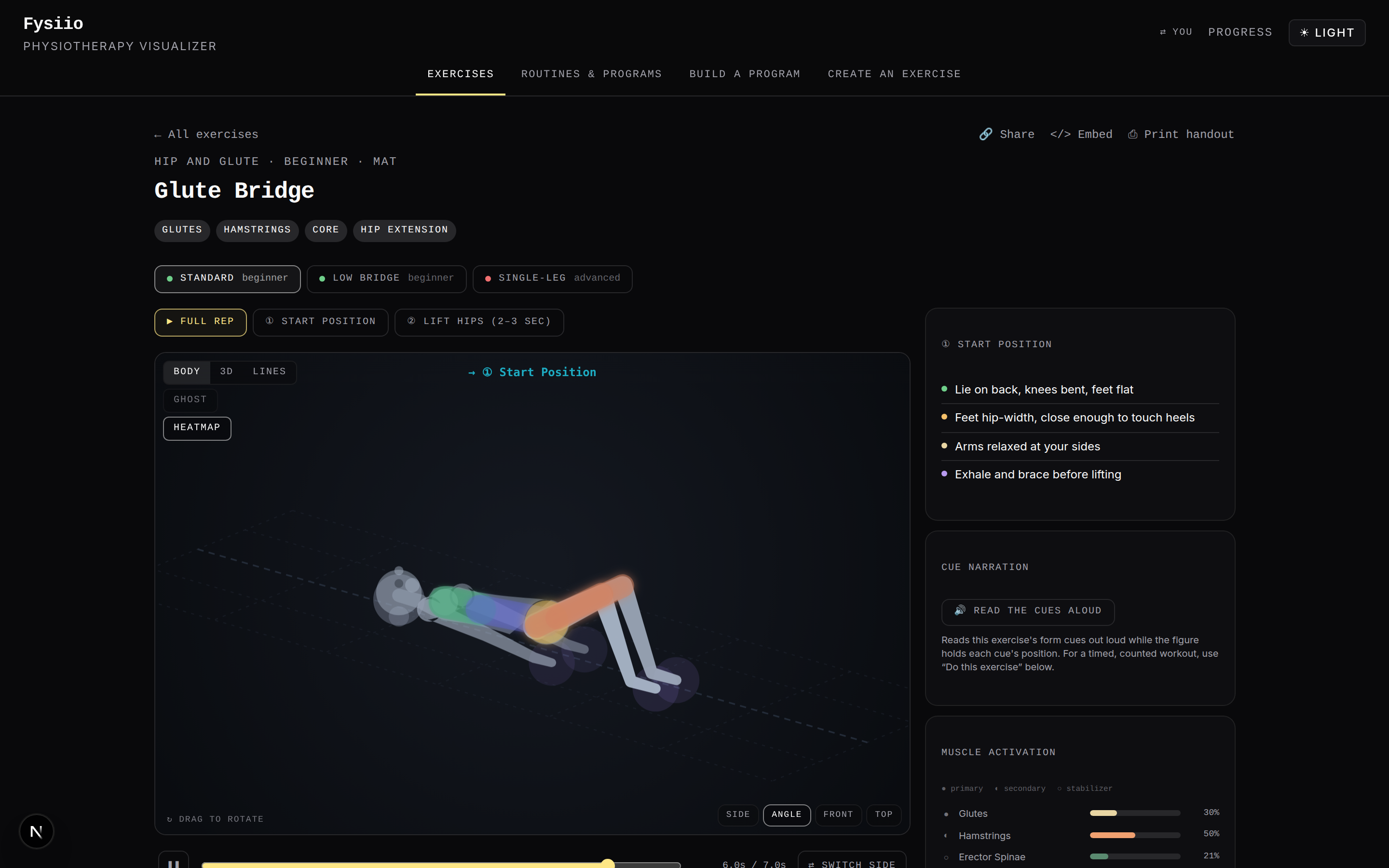
Every exercise in Fysiio is built from a skeleton with clinical degrees of freedom and normative range-of-motion limits, not filmed footage. Because the movement is computed rather than recorded, your patient can rotate the camera around it, scrub back and forth through the rep, and drop into the exact frame where their form usually breaks down.
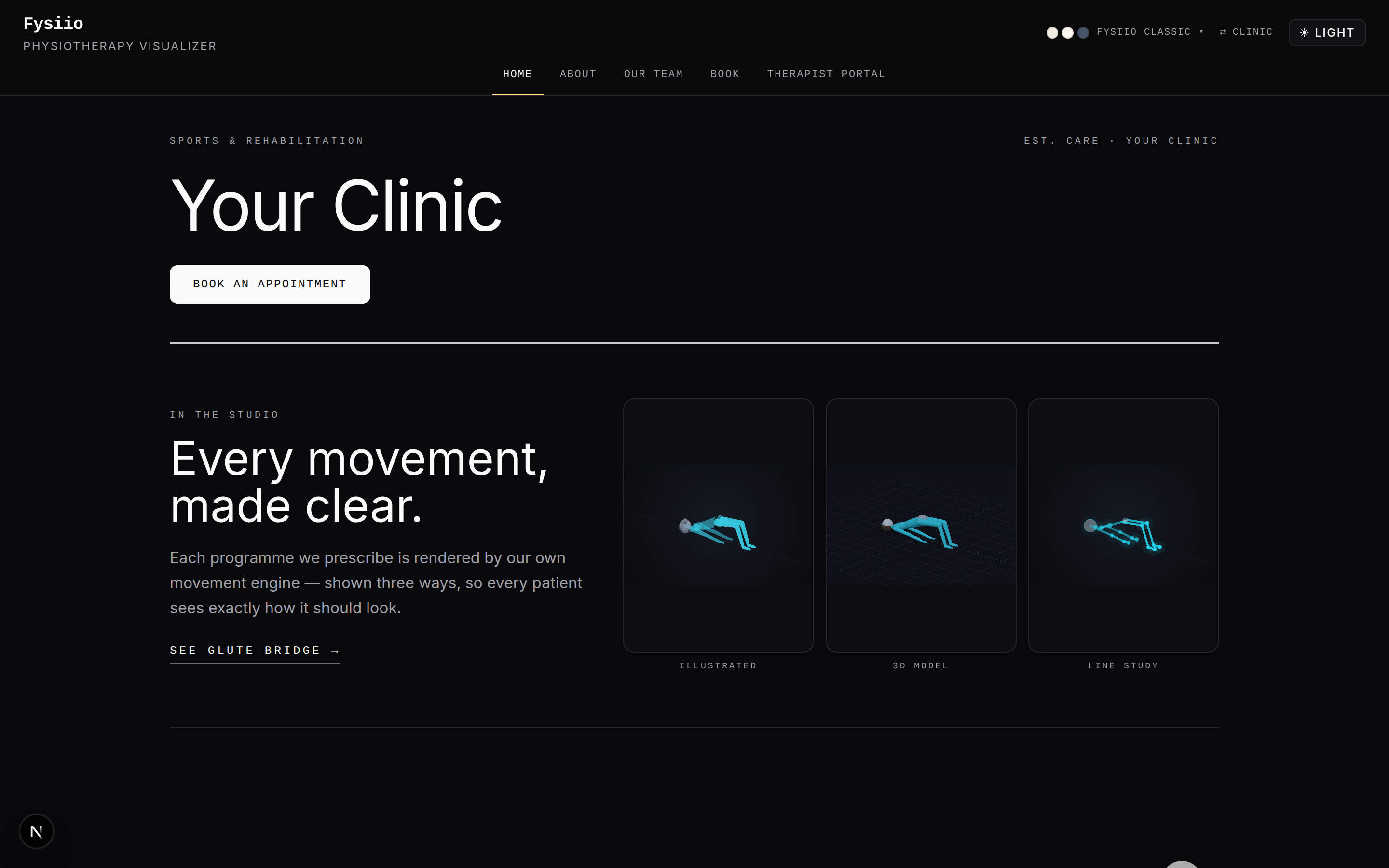
The same computed movement renders three honest ways — an illustrated body, a 3D model, or a plain stick figure — so a patient who finds anatomy confusing and a patient who wants to see the joint itself both get a version that clicks. Difficulty adjusts per exercise, and voice cues speak the tempo and breath pattern aloud, for the patient who'd rather listen than watch.
Standing hip hinge — animation requires JavaScript. The movement is computed from clinical joint angles, not filmed.
Pillar two
Brand
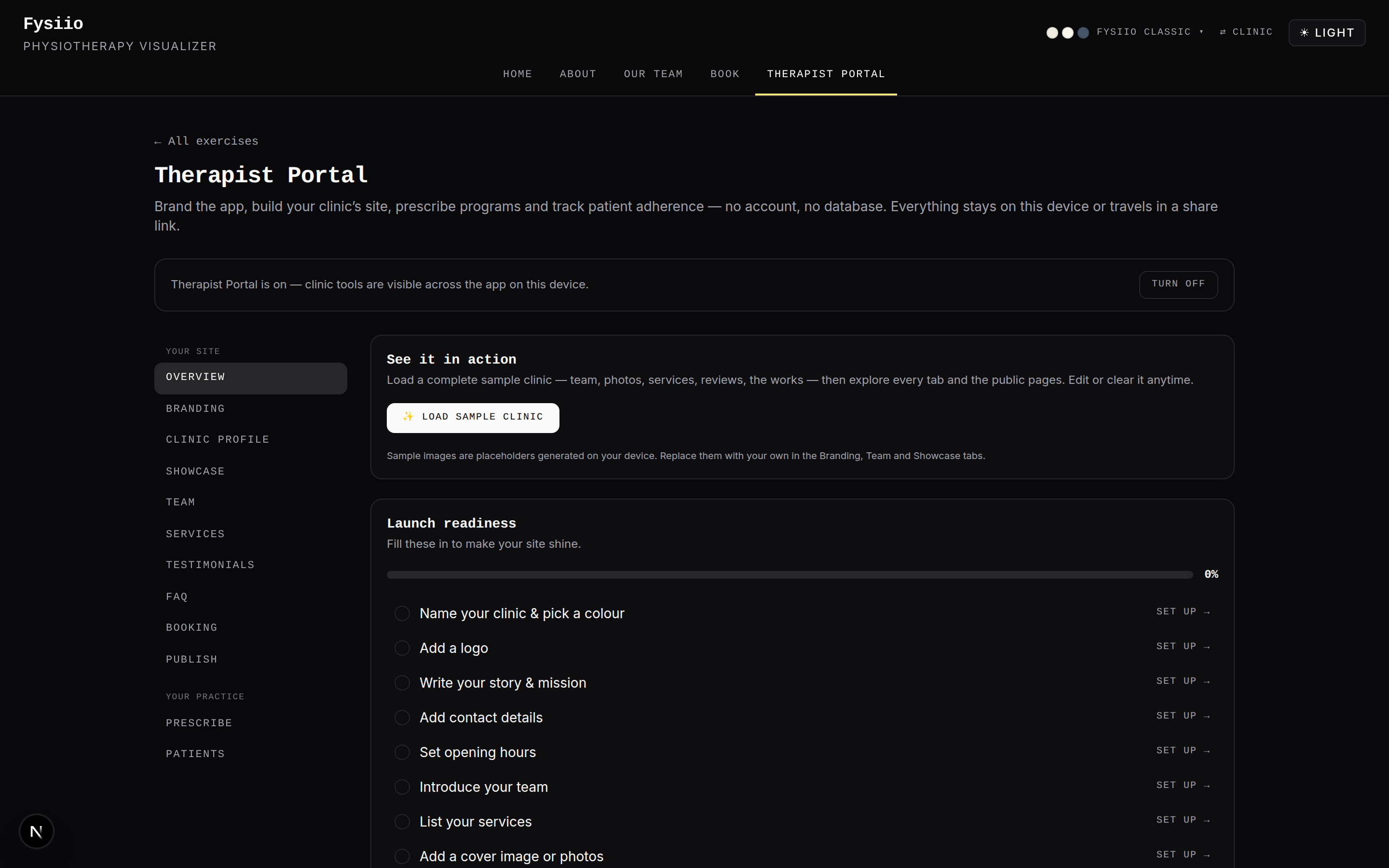
A patient who opens a link and lands somewhere generic reads it as generic — even when the exercise inside is exactly right. The therapist portal lets you choose from four white-label design concepts, each with its own type, palette, and shape language, so the page your patient opens looks unmistakably like your clinic and not like a tool you're borrowing.
- SérénitéSoft, calm, rounded — a wellness-forward clinic
- Minimal ClinicalRestrained, precise, clinical-white
- KinetikSharp, athletic, performance-led
- HumanaWarm, rounded, approachable
Pillar three
Privacy
Fysiio has no backend, no database, and no patient accounts. A program you build is encoded directly into the link you send — the link is the program, carried in its own URL. When your patient opens it, their progress, streaks, and pain notes are written to their own browser's storage, on their own device.
There is no patient-data server to breach — not as policy, as architecture.
That's not a privacy setting someone could misconfigure. There is simply nowhere for the data to sit but the patient's own phone.
How prescribing actually works
-
Build the program
In the program builder, choose exercises, sets, reps, and any cues you want spoken.
-
Share it
Send it as a link, or print the handout — it carries a QR code straight to the same program.
-
The patient opens it
In any browser, on any phone. No app to install, no account to create first.
What clinic owners ask first
- What does switching actually cost us?
- Almost nothing to try. It's a link, not a migration — hand one patient a program this week and see what changes about the conversation at their next visit.
- What about patients who aren't comfortable with technology?
- It opens in whatever browser they already have — no app store, no login. And for the patient who'd still rather have paper, the printed handout with its QR code is a real fallback, not an afterthought.
- Is this medical advice?
- No. It's an educational visualization tool — a clearer way to show a movement you've already prescribed. You remain the clinician; nothing here diagnoses, treats, or replaces your judgment.
Show the next patient the movement, not a photocopy of it.
See what your patients would see, and what the portal looks like from your side of it.