This is the whole app. Tap around.
Below is a real screenshot of the exercise player — not a mockup. Eight numbered markers sit on top of eight controls that actually work in the app. Tap one, or use the stepper, to see what it does and why it's there.
Screenshot: the Glute Bridge exercise, Heatmap view on, viewed from the Angle camera.
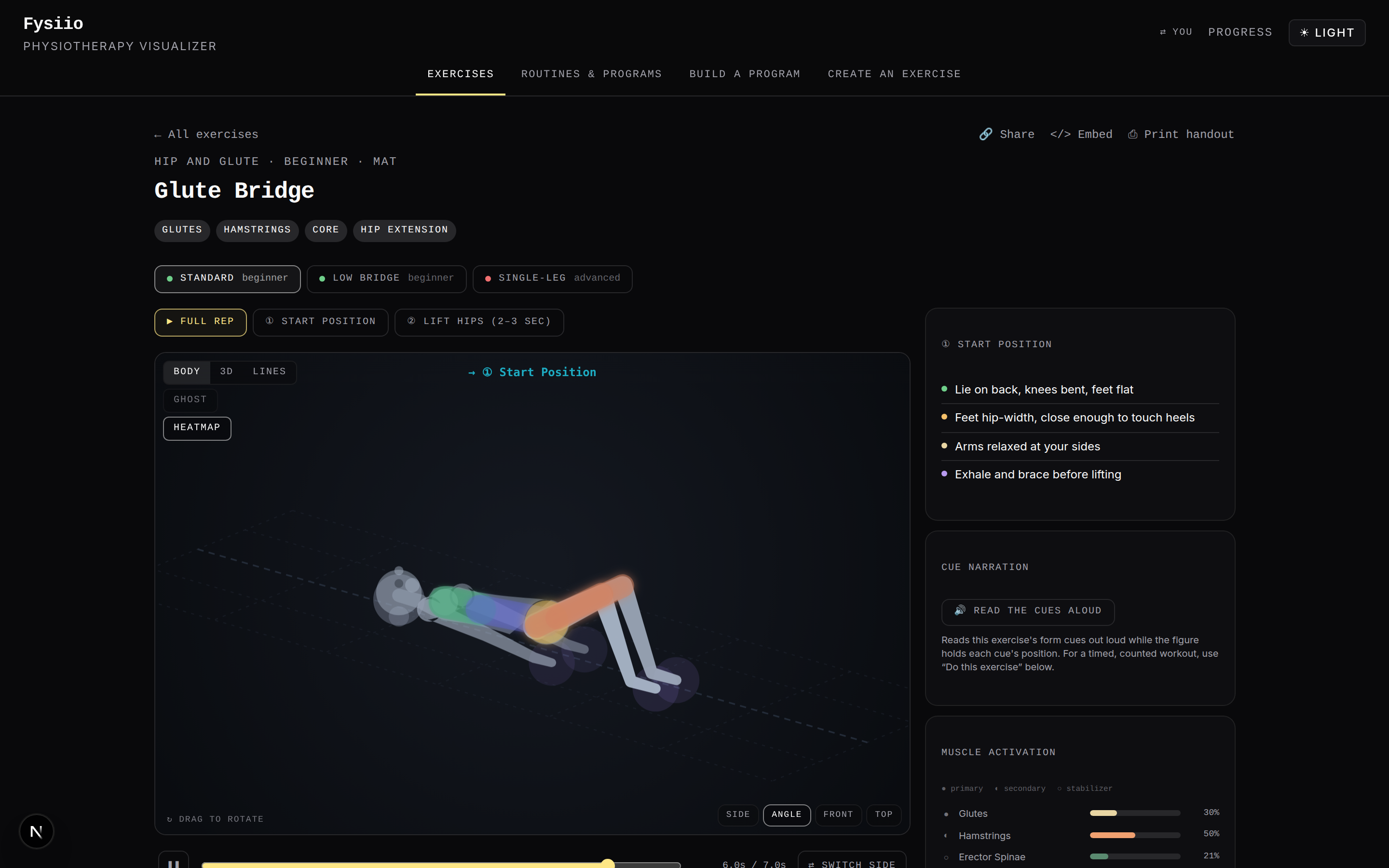
Every label on this image points at a real control.
All eight, in one list
-
Share, Embed, Print
Every one of these is a link, not a login. Share copies a URL that encodes this exact exercise; Embed gives you an iframe to drop the player into another page; Print handout builds a paper takeaway with a QR code back to the animated version. No account, ever.
Why it matters: hand a home program to a patient who won't install anything, or embed a single exercise on your own clinic site.
-
Three ways to do this exercise
Standard, Low Bridge and Single-Leg aren't the same animation resized — each is its own authored set of joint angles with its own difficulty badge. Across the library there are 44 variant definitions like these, spread over 65 exercises.
Why it matters: match the exact level a patient is ready for, without leaving the page.
-
Jump to a phase
Full Rep plays the whole cycle. ① Start Position and ② Lift Hips freeze the figure at just that keyframe, for when you only need to check one part of the form.
Why it matters: check form at one critical moment — like the top of the bridge — without waiting through a full rep.
-
Change how you look at it
Body / 3D / Lines switch render style — three different drawings of the same computed motion. Heatmap (on in this shot) recolors the body by how activated each muscle is, matching the percentages in the panel on the right. Ghost overlays another point in the rep for comparison.
Why it matters: different patients — and different clinicians — read anatomy differently; a heatmap makes the target muscle obvious at a glance.
-
Drag it. Rotate it.
This figure isn't a video — it's a skeleton solved live from clinical joint angles, so any angle you drag to is a real, physically valid pose. Side / Angle / Front / Top jump to four fixed camera views; the scrubber below plays or steps through the rep frame by frame.
Why it matters: a compensation that's invisible from the side, like a hip drop, can be obvious from the front or top.
-
Form cues, in plain language
Each phase gets its own short list of cues, written the way a physiotherapist would say them out loud — not jargon — and synced to whichever position the figure is currently holding.
Why it matters: lets a patient read at their own pace, sound off.
-
Read the cues aloud
Press this and a calm, pre-recorded voice reads the current phase's cues while the figure holds the pose — 569 pre-generated clips across the library, not live text-to-speech.
Why it matters: useful for a home routine done without staring at a screen.
-
Muscle activation, by the numbers
32 muscles are mapped across the library, each tagged primary, secondary or stabilizer and given a percentage for this exercise. These are clinically authored estimates, not measured EMG — nothing on this panel comes from a sensor.
Why it matters: helps you explain in plain terms what an exercise is meant to load, while staying honest about what the number is.
Three levels. Forty-four variants.
The crop above is the same screenshot, zoomed into the row of pills under the title. Standard and Low Bridge are both beginner; Single-Leg is advanced — three distinct, hand-authored variants of one exercise.
That pattern repeats across the whole library: 65 exercises, 3 difficulty levels, 44 variant definitions in total. None of it is a slider that scales an animation — every variant is its own set of joint angles, checked against the same physics as the original.
The same data, on paper
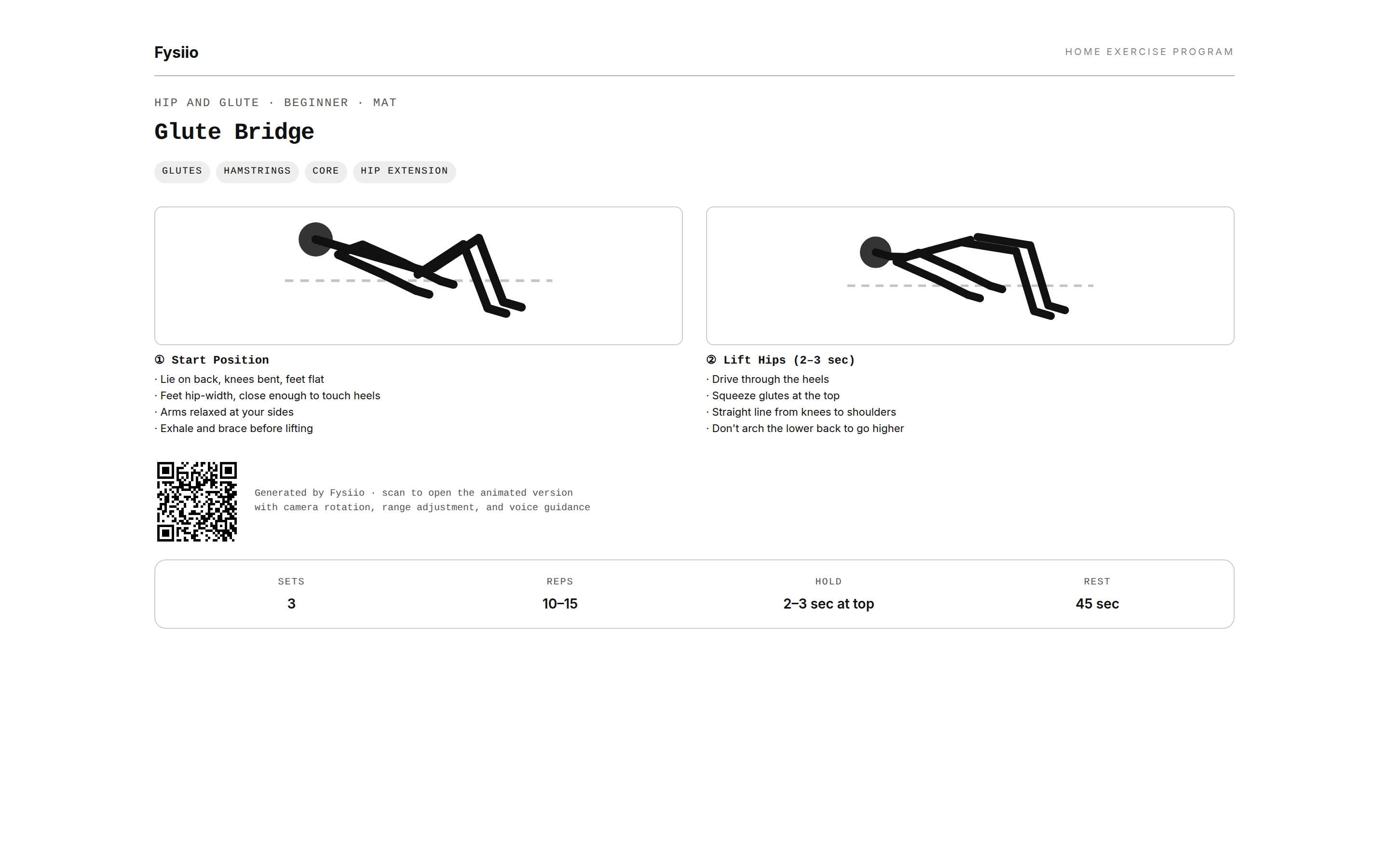
Print handout isn't a screenshot glued to a PDF — it's the same pose data laid out for print, with sets, reps, hold time and rest pulled straight from the exercise, plus a QR code.
Scan it and you're back at the animated, rotatable version of the same exercise. One data source, drawn onto a screen, a phone, or a sheet of paper leaving your clinic in a patient's hand.
Same link. Patient's phone.
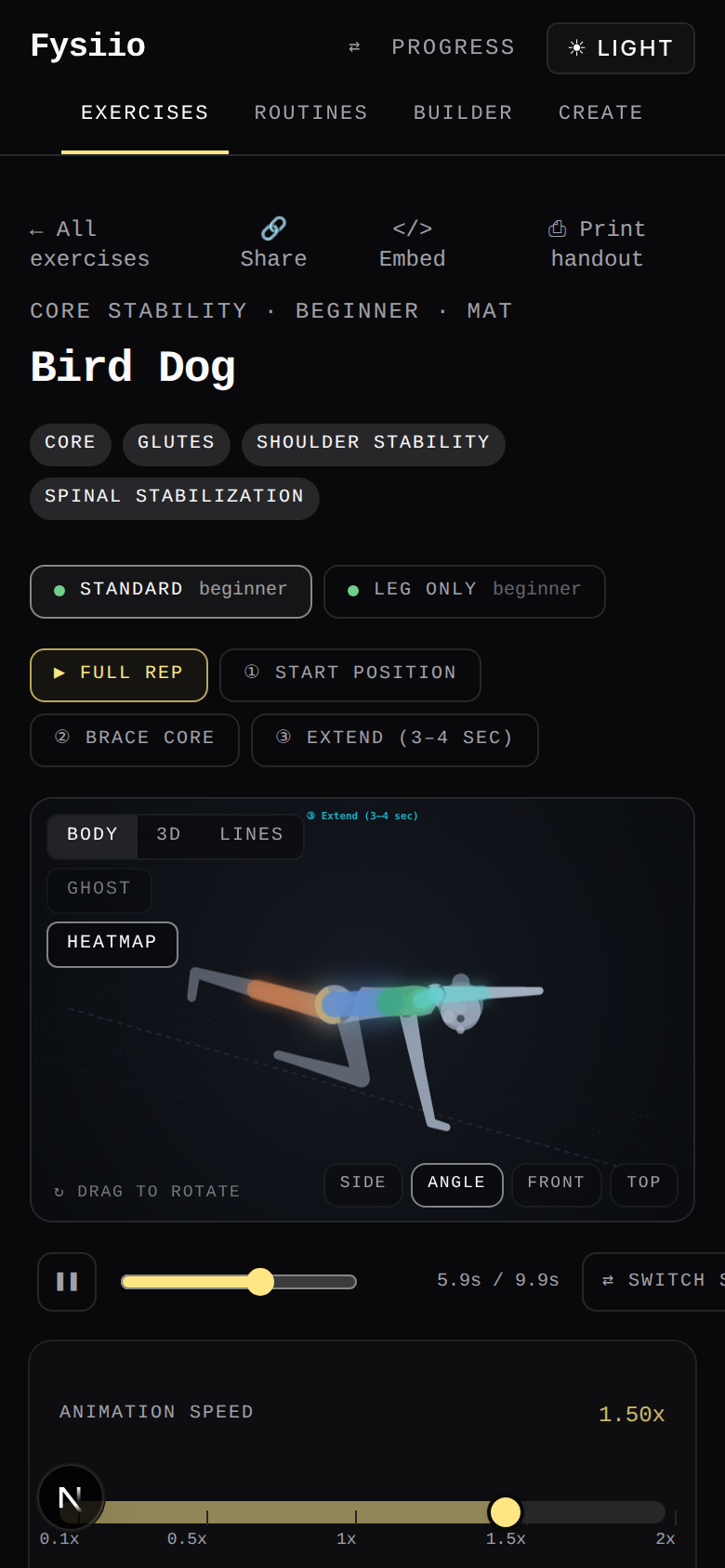
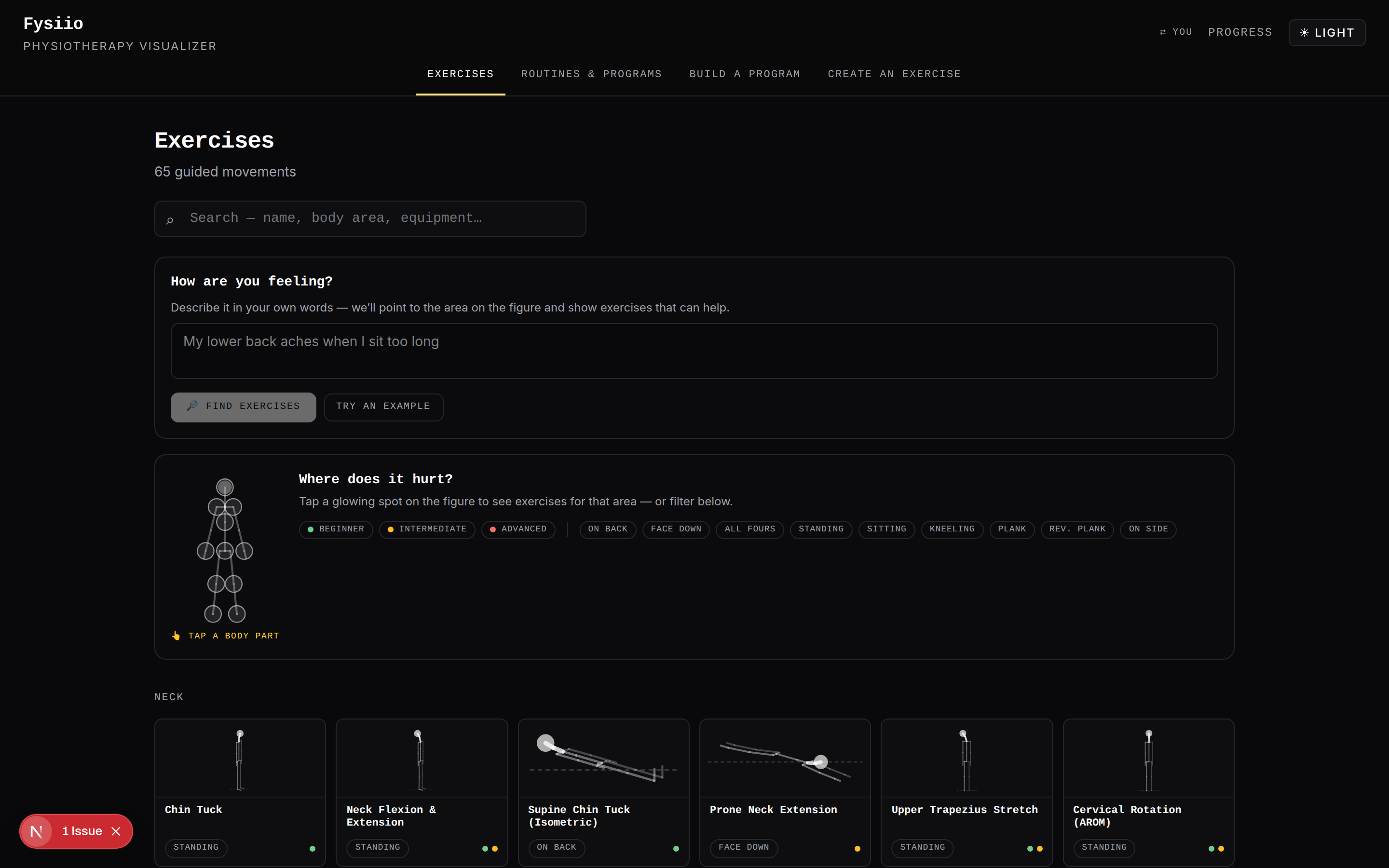
There's no separate mobile app and no separate desktop app — the same URL renders on whatever's in front of the patient, phone or laptop, because the engine underneath doesn't care what screen it's drawing to.
No app to install, no account to create. Whatever they see, it's the same computed motion you saw on your screen a moment ago.
Every one of those eight controls is real.
Open Glute Bridge yourself and tap through the same eight things — Body/3D/Lines, Ghost, Heatmap, the variants, the phases, the camera, the cues, the muscles.
Open this exact screen → Or browse all 65 exercises →